Practical API Rate Limiting with Token Buckets
Learn how to design token-bucket API rate limits that protect services without punishing normal users.
Introduction
Rate limiting is one of the simplest controls you can add to an API, and one of the easiest to get wrong. A limit that is too loose does not protect the service. A limit that is too strict breaks normal usage during page loads, mobile reconnects, retries, imports, or bursty automation.
The goal is not to reject as many requests as possible. The goal is to keep shared infrastructure healthy while giving legitimate clients enough room to behave naturally. Token buckets are a practical default because they support short bursts, enforce an average rate, and are easy to explain to developers who consume your API.
This article walks through a production-minded token-bucket design. The examples use JavaScript, Express-style middleware, and Redis-oriented pseudocode, but the same model applies to API gateways, edge workers, service meshes, and backend applications.
What Rate Limits Should Protect
A useful rate limit starts with a resource, not a number. "100 requests per minute" is arbitrary until you know what the limit protects.
Common resources include:
- CPU-heavy endpoints such as exports, search, and report generation.
- Database write capacity for mutations.
- Third-party quota when your API calls another provider.
- Authentication surfaces such as login, password reset, and token refresh.
- Tenant fairness in a shared multi-tenant system.
Different resources need different keys. Login attempts might be limited by account, IP address, and device fingerprint. Public API calls might be limited by API key and endpoint family. Expensive exports might be limited by tenant and user because one account should not block another account in the same organization.
Avoid building one global limiter and calling it done. Global limits are useful as a circuit breaker, but most product behavior needs limits close to the thing being protected.
Pick the right limit key
The limit key defines who is spending the budget:
rate_limit:{tenant_id}:{api_key}:write
rate_limit:{tenant_id}:exports
rate_limit:{ip_address}:login
Be careful with IP-only limits. They can reduce abusive traffic, but they can also punish users behind shared networks, mobile carriers, corporate VPNs, and NAT gateways. For authenticated APIs, prefer account, tenant, or API-key identifiers first, then use IP-based limits as an additional abuse-control signal.
Why Token Buckets Work Well
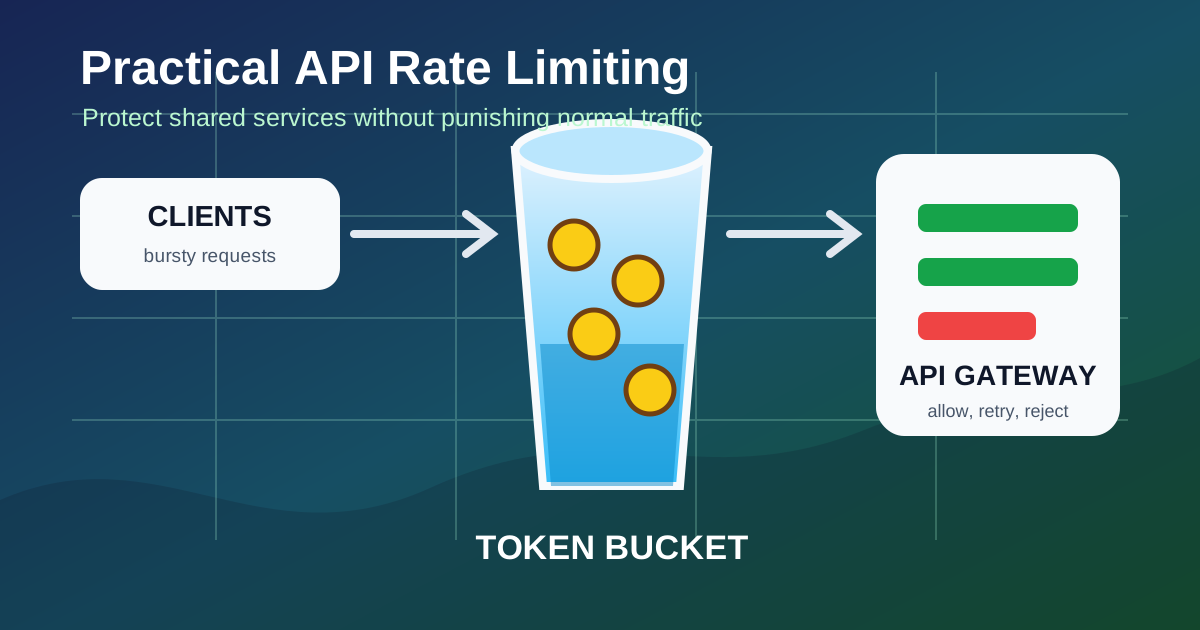
A token bucket has three moving parts:
- Capacity: the maximum number of tokens the bucket can hold.
- Refill rate: how many tokens are added over time.
- Cost: how many tokens a request consumes.
If the bucket has enough tokens, the request is allowed and tokens are removed. If not, the request is rejected or delayed. Tokens refill continuously over time until the bucket reaches capacity.
This gives clients room for bursts while preserving an average rate. For example, a bucket with capacity 20 and refill rate 5 tokens per second allows a client to make 20 quick requests after being idle, then settles toward 5 requests per second.
That behavior is often more user-friendly than a fixed window:
Fixed window: 100 requests from 10:00:00 to 10:00:59
Token bucket: average of 100 per minute, with bounded bursts
Fixed windows can create edge effects. A client might send 100 requests at the end of one minute and 100 more at the start of the next. Sliding windows reduce that problem but are more expensive to track. Token buckets are usually a good balance of correctness, cost, and operational clarity.
Implement a Local Token Bucket
A local in-memory limiter is useful for tests, single-process tools, and explaining the algorithm. It is not enough for a horizontally scaled API because each instance would have its own bucket, but the code shows the core behavior clearly.
class TokenBucket {
  constructor({ capacity, refillPerSecond }) {
    this.capacity = capacity
    this.refillPerSecond = refillPerSecond
    this.tokens = capacity
    this.updatedAt = Date.now()
  }

  take(cost = 1) {
    const now = Date.now()
    const elapsedSeconds = (now - this.updatedAt) / 1000
    const refill = elapsedSeconds * this.refillPerSecond

    this.tokens = Math.min(this.capacity, this.tokens + refill)
    this.updatedAt = now

    if (this.tokens < cost) {
      const missing = cost - this.tokens
      const retryAfterSeconds = Math.ceil(missing / this.refillPerSecond)

      return {
        allowed: false,
        remaining: Math.floor(this.tokens),
        retryAfterSeconds,
      }
    }

    this.tokens -= cost

    return {
      allowed: true,
      remaining: Math.floor(this.tokens),
      retryAfterSeconds: 0,
    }
  }
}
This implementation refills lazily. It does not run a timer. Instead, every request calculates how many tokens should have been added since the previous request. That makes the limiter cheap when a bucket is idle.
Add endpoint-specific costs
Not every request should cost one token. A lightweight GET /profile endpoint and a large POST /exports job should not spend the same budget.
const endpointCosts = {
  "GET /v1/profile": 1,
  "GET /v1/search": 3,
  "POST /v1/exports": 20,
}

function requestCost(req) {
  const routeKey = `${req.method} ${req.route.path}`
  return endpointCosts[routeKey] ?? 1
}
Weighted costs keep your public contract simple while making expensive operations accountable. Document the endpoints with special costs if external developers need to plan around them.
Return Helpful Rate-Limit Responses
When a request exceeds the limit, return 429 Too Many Requests. The response should tell the client when it can try again and how much budget remains.
function rateLimitMiddleware(bucketForRequest) {
  return (req, res, next) => {
    const bucket = bucketForRequest(req)
    const result = bucket.take(requestCost(req))

    res.setHeader("RateLimit-Limit", bucket.capacity)
    res.setHeader("RateLimit-Remaining", result.remaining)

    if (!result.allowed) {
      res.setHeader("Retry-After", result.retryAfterSeconds)
      res.setHeader("RateLimit-Reset", result.retryAfterSeconds)

      return res.status(429).json({
        error: "rate_limit_exceeded",
        message: "Too many requests. Retry after the indicated delay.",
        retryAfterSeconds: result.retryAfterSeconds,
      })
    }

    next()
  }
}
Do not make clients scrape human-readable messages to understand a limit. Use headers and stable error codes. For internal APIs, log the key, route, remaining tokens, and request identifier so support and operations teams can explain why a request was rejected.
Choose reject, queue, or shed
Most HTTP APIs should reject over-limit requests quickly. That protects latency for allowed traffic. Some systems can queue instead, but queueing changes the contract: clients may see slow responses rather than explicit failures, and workers can build up delayed work during an incident.
Use rejection for synchronous APIs, queueing for asynchronous jobs with clear status tracking, and load shedding when the whole system is under pressure.
Make It Work Across Instances
Production APIs usually run multiple instances. If each instance keeps its own bucket, clients can multiply their limit by spreading traffic across instances. A shared store solves that, but it must update the bucket atomically.
Redis is a common choice because a small Lua script can read, refill, decide, and write the bucket in one operation:
local key = KEYS[1]
local now = tonumber(ARGV[1])
local capacity = tonumber(ARGV[2])
local refill_per_second = tonumber(ARGV[3])
local cost = tonumber(ARGV[4])

local bucket = redis.call("HMGET", key, "tokens", "updated_at")
local tokens = tonumber(bucket[1]) or capacity
local updated_at = tonumber(bucket[2]) or now

local elapsed = math.max(0, now - updated_at)
tokens = math.min(capacity, tokens + (elapsed * refill_per_second))

if tokens < cost then
  local missing = cost - tokens
  local retry_after = math.ceil(missing / refill_per_second)
  redis.call("HMSET", key, "tokens", tokens, "updated_at", now)
  redis.call("EXPIRE", key, math.ceil((capacity / refill_per_second) * 2))
  return {0, math.floor(tokens), retry_after}
end

tokens = tokens - cost
redis.call("HMSET", key, "tokens", tokens, "updated_at", now)
redis.call("EXPIRE", key, math.ceil((capacity / refill_per_second) * 2))

return {1, math.floor(tokens), 0}
The script stores only the current token count and the last update time. The expiration keeps unused buckets from living forever. Set the TTL long enough that a full bucket does not disappear immediately after a brief idle period.
Plan for store failures
Your limiter depends on its storage. Decide what happens when Redis is slow or unavailable:
- Fail open: allow requests when the limiter cannot be checked. This preserves availability but weakens protection.
- Fail closed: reject requests when the limiter cannot be checked. This protects dependencies but can turn a Redis incident into a customer outage.
- Degraded local fallback: use a smaller in-process emergency bucket until the shared store recovers.
There is no universal answer. Authentication and payment-sensitive endpoints may need stricter behavior than read-heavy content endpoints. Whatever you choose, make it explicit and observable.
Tune Limits with Real Signals
Initial limits are estimates. Treat them as configuration that should move as you learn how clients behave.
Track at least these metrics:
- Allowed requests by key type and endpoint family.
- Rejected requests by key type and endpoint family.
- Top limited tenants or API keys.
- Limiter store latency and errors.
- Retry-after values returned to clients.
- Downstream saturation signals such as database CPU, queue depth, and third-party quota usage.
Metrics should answer whether the limit is protecting the system or just creating noise. If many clients hit a limit for ordinary workflows, the limit may be too low, the endpoint may be too chatty, or the client contract may need batching.
Avoid silent policy changes
When external developers depend on your API, rate-limit changes are product changes. Give advance notice for stricter limits, publish the relevant headers, and provide a support path for higher quotas. For internal services, ship limit changes through the same review process as other reliability-sensitive configuration.
You can also introduce limits in observe-only mode. Log what would have been rejected without enforcing it. That gives you data before clients see 429 responses.
Conclusion and Next Steps
Token buckets are a practical rate-limiting default because they are simple, burst-friendly, and efficient to enforce. Start by identifying the resource you need to protect, choose the right limit key, and use weighted costs for expensive routes. Return clear 429 responses with retry guidance, and use an atomic shared store when the API runs across multiple instances.
For an existing API, begin with one high-risk endpoint such as login, search, export creation, or bulk writes. Add observe-only metrics first, enforce a conservative token bucket next, and tune the policy using real traffic instead of guesses.
About this story
This article was written by Gen-AI using GPT 5.5 or Opus 4.7. Verify technical guidance before using it in production systems.