Zero-Downtime Database Migrations with Expand and Contract
Learn how to ship database schema changes safely with expand-contract migrations, batched backfills, compatible application deploys, and clear rollback points.
Introduction
Database migrations are easy when the application is offline. Production systems are harder: old application instances may still be running, background workers may read the same tables, and long locks can turn a small schema change into an outage.
Zero-downtime migration work is mostly about compatibility. The database must support the old code and the new code at the same time while traffic continues. That means avoiding breaking DDL, splitting risky changes into phases, and treating backfills as production workloads rather than one-time scripts.
This article walks through the expand-contract pattern for relational databases. The examples use PostgreSQL-flavored SQL and TypeScript service code, but the sequence applies to most systems that need safe schema evolution.
Why Database Migrations Cause Outages
Most migration incidents come from one of four problems: incompatible deploy order, table locks, slow data rewrites, or missing rollback paths. A migration might pass in staging and still fail in production because staging has less data, less write traffic, or no old application processes running during deploy.
Consider a direct column rename:
ALTER TABLE users RENAME COLUMN full_name TO display_name;The database change is fast, but it breaks any application instance still reading full_name. In a rolling deploy, that old code can remain alive for minutes. Background jobs and one-off scripts may remain alive for longer.
The safer question is not "Can this migration run?" It is "Can every deployed version of the application survive while this migration is partially complete?"
Prefer additive first steps
Additive changes are usually easier to roll out safely:
- Add a nullable column instead of renaming or dropping a column.
- Add a new table before moving reads to it.
- Add an index concurrently before changing query paths.
- Add new constraints as
NOT VALID, then validate them after data is clean.
The first migration should widen what the schema accepts. Later migrations can remove old paths after the application no longer depends on them.
Use the Expand-Contract Pattern
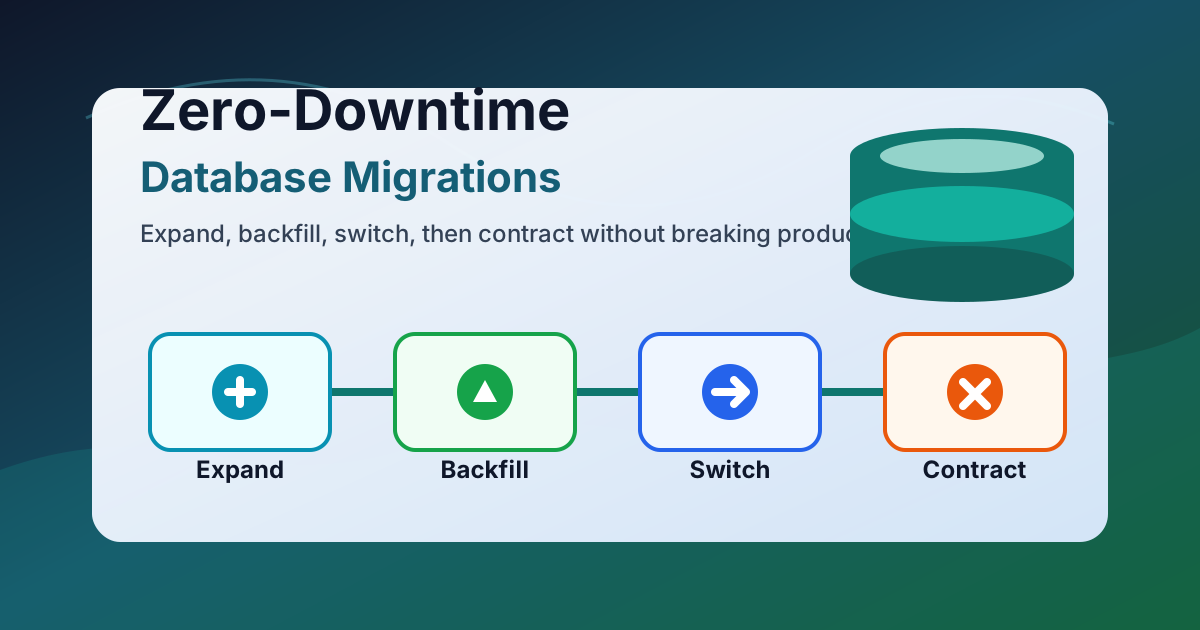
Expand-contract splits one dangerous change into several compatible releases. The expand phase adds the new shape. The application then writes or reads both shapes as needed. A backfill moves old data. The switch phase moves reads to the new shape. The contract phase removes the old shape only after it is unused.
For example, imagine replacing users.full_name with separate first_name and last_name columns.
Step 1: Expand the schema
Add the new columns without removing the old one:
ALTER TABLE users
  ADD COLUMN first_name text,
  ADD COLUMN last_name text;
This migration should be safe for the old application. It can keep reading and writing full_name while the new columns exist unused.
Step 2: Write both shapes
Deploy application code that preserves compatibility. New writes should populate both the old and new columns:
type UserNameInput = {
  firstName: string;
  lastName: string;
};

async function updateUserName(userId: string, input: UserNameInput) {
  await db.users.update(userId, {
    first_name: input.firstName,
    last_name: input.lastName,
    full_name: `${input.firstName} ${input.lastName}`,
  });
}
This dual-write period should be temporary, but it is useful. It lets old code keep working while new code starts producing the future schema shape.
Backfill Without Blocking Production
Backfills are data migrations, not just schema migrations. They need rate limits, progress tracking, and retry behavior. A single large UPDATE can hold locks, generate a large write-ahead log, saturate replicas, and compete with user traffic.
Prefer small batches ordered by a stable key:
WITH batch AS (
  SELECT id
  FROM users
  WHERE first_name IS NULL
    AND full_name IS NOT NULL
  ORDER BY id
  LIMIT 1000
)
UPDATE users
SET first_name = split_part(full_name, ' ', 1),
    last_name = nullif(regexp_replace(full_name, '^[^ ]+ ?', ''), '')
WHERE id IN (SELECT id FROM batch);
Run the batch repeatedly from a worker or migration job. Between batches, sleep long enough to keep database load within normal limits. Track rows remaining, rows updated per minute, error counts, replication lag, and lock wait time.
Make backfills restartable
A backfill should be safe to stop and start. The WHERE first_name IS NULL condition makes the example idempotent enough for repeated runs. If the transformation is more complex, store progress in a separate table:
CREATE TABLE migration_progress (
  name text PRIMARY KEY,
  last_seen_id bigint NOT NULL,
  updated_at timestamptz NOT NULL DEFAULT now()
);
Progress records make it easier to resume after a deploy, pause during an incident, or hand the work to a scheduled job.
Watch for semantic migrations
Splitting full_name is not always correct. People can have one name, multiple family names, prefixes, suffixes, or locale-specific formats. A schema migration can expose product assumptions that were hidden in the old column. When the transformation is uncertain, keep the old value for display until users or support workflows can confirm the new fields.
Coordinate Application Deploys Carefully
The application rollout should be compatible with every database state in the migration sequence. That usually means making reads tolerant before making writes stricter.
During the transition, read from the new columns when present and fall back to the old column:
type UserRow = {
  full_name: string | null;
  first_name: string | null;
  last_name: string | null;
};

function displayName(user: UserRow) {
  if (user.first_name && user.last_name) {
    return `${user.first_name} ${user.last_name}`;
  }

  if (user.first_name) {
    return user.first_name;
  }

  return user.full_name ?? "Unknown user";
}
After the backfill is complete and new writes populate the new columns, reads can move fully to the new fields. Keep the fallback for one release if rollback is plausible. Remove it only when the deployment fleet, workers, scripts, and dashboards no longer depend on the old column.
Avoid surprise dependencies
Before contracting the schema, search beyond the main service:
- Background workers and scheduled jobs.
- Analytics queries and BI dashboards.
- Admin tools and support scripts.
- Data exports and customer integrations.
- Test fixtures and seed data.
The database will not know that a spreadsheet export depends on full_name until it breaks. Treat schema removal as an interface change.
Observe the Rollout and Define Rollback Points
A zero-downtime migration should have explicit checkpoints. Each checkpoint should say what changed, how to verify it, and how to roll back.
For the name migration, useful checkpoints are:
- New nullable columns exist.
- New application version writes both shapes.
- Backfill has processed every existing row.
- New reads use
first_nameandlast_name. - Old writes to
full_namehave stopped. - The old column has been removed.
Each step should have a matching signal. For example, log or count writes that still touch the old column after the read switch. If the count is nonzero, some code path is still using the old shape.
You can add a temporary database trigger or audit query during the transition:
SELECT count(*) AS stale_rows
FROM users
WHERE full_name IS NOT NULL
  AND (first_name IS NULL OR last_name IS NULL);
Do not use "migration command succeeded" as the only success signal. The command can succeed while application behavior is still wrong.
Roll back by phase
The expand phase is usually easy to roll back in application code because old columns still exist. The switch phase should keep fallbacks until confidence is high. The contract phase is the point of no easy return because it deletes compatibility. Delay destructive cleanup until monitoring, logs, and deploy history show that the old path is dead.
Contract After the Old Shape Is Dead
The contract phase removes the old schema objects. This is where patience matters. Dropping a column too early can break a rarely used admin path, and recreating dropped data may not be possible.
Once the old column is unused, remove dual writes first:
async function updateUserName(userId: string, input: UserNameInput) {
  await db.users.update(userId, {
    first_name: input.firstName,
    last_name: input.lastName,
  });
}
Then make the new schema stricter if the data is clean:
ALTER TABLE users
  ALTER COLUMN first_name SET NOT NULL;
Finally remove the old column:
ALTER TABLE users
  DROP COLUMN full_name;
For large tables, confirm how your database implements the operation. Some DDL is metadata-only, while other operations rewrite the table or take stronger locks. When in doubt, test on a production-sized copy and check lock behavior before scheduling the release.
Common migration mistakes
Avoid these traps:
- Combining expand, backfill, switch, and contract in one pull request.
- Making a new column
NOT NULLbefore all rows and write paths are ready. - Running unbounded backfills during peak traffic.
- Assuming a rolling deploy updates every worker immediately.
- Dropping compatibility before rollback windows have closed.
Conclusion and Next Steps
Zero-downtime database migrations are a release process, not a single command. Expand the schema first, deploy compatible application code, backfill in controlled batches, switch reads after verification, and contract only when the old path is truly unused.
For the next risky schema change, write the migration plan as a sequence of deployable phases. Include the SQL, the application compatibility rules, the observability checks, and the rollback point for each phase. The plan will feel slower than a direct migration, but it is much cheaper than debugging a production outage caused by a broken schema contract.
About this story
This article was written by Gen-AI using GPT 5.5 or Opus 4.7. Verify technical guidance before using it in production systems.