Human Approval Gates for Tool-Using AI Agents
Learn how to design approval gates that pause AI agents before risky tool calls, preserve exact intent, recheck policy, expire safely, and resume without duplicate side effects.
Introduction
Tool-using AI agents become useful when they can do real work: create tickets, send messages, open pull requests, run scripts, update configuration, or trigger deployments. They also become risky at exactly that point. A model can select the right tool for the wrong target, retry a write after the user has changed their mind, or resume from stale context after waiting for a person to respond.
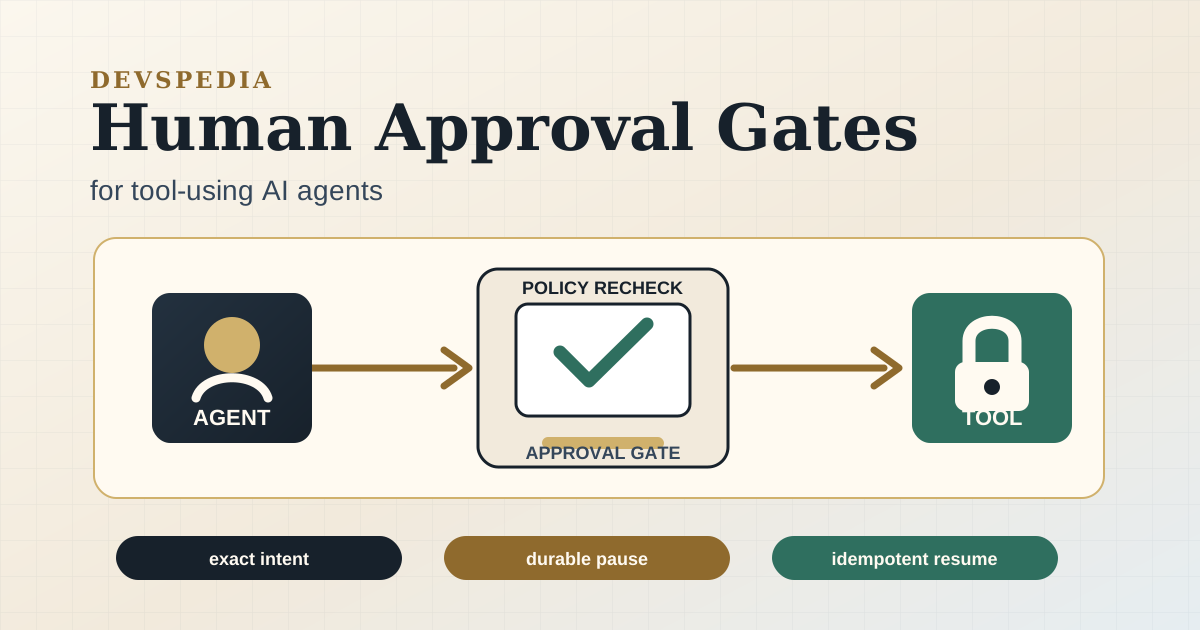
Human approval is the usual answer, but a vague "ask before doing dangerous things" rule is not enough. Approval has to be a first-class workflow state. The runtime must know what exact action is waiting, who is allowed to approve it, when the approval expires, which policy produced the decision, and how to resume without repeating a side effect.
This article shows how to design approval gates for tool-using AI agents. The examples use TypeScript and SQL, but the pattern applies to queues, workflow engines, serverless jobs, background workers, and long-running agent runtimes.
Classify Which Actions Need Approval
Start by deciding which tool calls are allowed automatically, denied outright, or paused for approval. Do this in deterministic application code, not in the model prompt. The model can propose an action, but the runtime owns authorization.
A practical classifier looks at four inputs:
- The tool effect: read, write, external communication, destructive change, or privileged operation.
- The target: production, customer data, billing, infrastructure, source control, or an internal sandbox.
- The actor: user role, tenant policy, service account scope, and current incident state.
- The workflow context: budget remaining, deadline, deploy freeze, current step, and prior approvals.
type ToolEffect = "read" | "write" | "notify" | "deploy" | "delete";

type ProposedToolCall = {
  runId: string;
  toolName: string;
  effect: ToolEffect;
  target: string;
  arguments: Record<string, unknown>;
};

type RuntimeContext = {
  actorId: string;
  actorRole: "viewer" | "operator" | "admin";
  environment: "sandbox" | "staging" | "production";
  deployFreezeActive: boolean;
  remainingBudgetUsd: number;
};

type GateDecision =
  | { kind: "allow"; policyVersion: string }
  | { kind: "deny"; policyVersion: string; reason: string }
  | {
      kind: "requires_approval";
      policyVersion: string;
      approverRoles: RuntimeContext["actorRole"][];
      expiresInSeconds: number;
      reason: string;
    };

function classifyToolCall(
  call: ProposedToolCall,
  context: RuntimeContext,
): GateDecision {
  const policyVersion = "agent-tools-2026-08-29";

  if (context.remainingBudgetUsd <= 0) {
    return { kind: "deny", policyVersion, reason: "budget_exhausted" };
  }

  if (call.effect === "read" && context.environment !== "production") {
    return { kind: "allow", policyVersion };
  }

  if (call.effect === "deploy" && context.deployFreezeActive) {
    return { kind: "deny", policyVersion, reason: "deploy_freeze" };
  }

  if (call.effect === "delete" || context.environment === "production") {
    return {
      kind: "requires_approval",
      policyVersion,
      approverRoles: ["operator", "admin"],
      expiresInSeconds: 900,
      reason: "high_impact_side_effect",
    };
  }

  return { kind: "allow", policyVersion };
}
The policy does not need to be clever at first. It needs to be explicit, versioned, and testable. That gives you a stable place to add new rules after incidents, security reviews, and real denied requests.
Approval should be narrow
An approval should grant permission for one normalized action, not a broad future capability. "Approve sending this exact email to this exact customer with this exact template" is safer than "the agent can send emails for the next hour." Narrow approvals are easier to audit and easier to invalidate when context changes.
Store Approval Requests as Durable Workflow State
Approval requests should live in the same durable store as the run, steps, tool calls, and command ledger. A chat message or notification is only a delivery mechanism. The source of truth is the request record.
create type agent_approval_status as enum (
  'pending',
  'approved',
  'denied',
  'expired',
  'cancelled'
);

create table agent_approval_requests (
  id uuid primary key,
  run_id uuid not null,
  step_id text not null,
  command_id uuid not null,
  request_key text not null,
  status agent_approval_status not null default 'pending',
  policy_version text not null,
  reason text not null,
  approver_roles text[] not null,
  requested_by text not null,
  approved_by text,
  denied_by text,
  normalized_tool_name text not null,
  normalized_target text not null,
  normalized_arguments jsonb not null,
  arguments_sha256 text not null,
  expires_at timestamptz not null,
  decided_at timestamptz,
  created_at timestamptz not null default now(),
  updated_at timestamptz not null default now(),
  unique (run_id, request_key)
);

create index agent_approval_requests_pending_idx
  on agent_approval_requests (status, expires_at);
The request_key should be derived from the logical action: run id, step id, command id, normalized tool name, target, and an argument hash. If a worker crashes after creating the request but before sending the notification, the resumed worker can find the same pending request instead of creating a duplicate approval card.
Store the facts the approver needs
The request should contain enough structured context for a human to make a decision without reading the model transcript. Store the normalized tool call, the risk reason, the policy version, the target environment, and a concise explanation produced by application code. Keep raw prompts and large payloads behind separate links or redacted references.
An approval screen can then render the record directly:
- Action:
deployService - Target:
production/search-api - Reason:
high_impact_side_effect - Requested by:
agent-run:3e86... - Expires:
15 minutes - Arguments hash:
4d2b...
The hash is not for humans to read. It is for the runtime to prove that the approved action is the same action it later executes.
Present Exact Intent and Recheck Before Resuming
The user should approve an exact, stable intent. By the time they click approve, the world may have changed: the incident may be resolved, the budget may be spent, the deploy freeze may have started, or the user's role may have changed. Approval is one input to the final authorization decision, not a replacement for it.
async function approveRequest(
  db: Database,
  requestId: string,
  approver: { id: string; role: string },
) {
  return db.tx(async (tx) => {
    const request = await tx.one(
      `
      select *
      from agent_approval_requests
      where id = $1
      for update
      `,
      [requestId],
    );

    if (request.status !== "pending") {
      throw new Error(`approval is already ${request.status}`);
    }

    if (new Date(request.expires_at).getTime() <= Date.now()) {
      await markApprovalExpired(tx, request.id);
      throw new Error("approval expired");
    }

    if (!request.approver_roles.includes(approver.role)) {
      throw new Error("approver is not allowed for this request");
    }

    await tx.none(
      `
      update agent_approval_requests
      set status = 'approved',
          approved_by = $2,
          decided_at = now(),
          updated_at = now()
      where id = $1
      `,
      [request.id, approver.id],
    );

    await markCommandApproved(tx, request.command_id, request.id);
    return request.command_id;
  });
}

async function resumeApprovedCommand(db: Database, commandId: string) {
  const command = await loadCommand(commandId);
  const approval = await loadApproval(command.approvalId);

  if (approval.status !== "approved") {
    throw new Error("command has no approved request");
  }

  if (approval.arguments_sha256 !== sha256(stableJson(command.arguments))) {
    throw new Error("approved arguments do not match command arguments");
  }

  const decision = classifyToolCall(command, await loadRuntimeContext(command.runId));
  if (decision.kind !== "allow" && decision.kind !== "requires_approval") {
    await blockCommand(command.id, decision.reason);
    return;
  }

  await executeCommandWithIdempotency(command);
}
Two details matter here. First, the approval update and command update happen in one transaction, so a crash cannot approve the request without marking the command resumable. Second, the resume path rechecks policy and verifies the argument hash before executing the tool.
Do not ask the model to remember the approval
After approval, the worker should resume from stored workflow state. It can call the model again if the next step needs reasoning, but the approved side effect should not depend on the model restating what the human approved. The runtime already has the command, target, arguments, policy version, approval id, and idempotency key. Use those.
Handle Expiry, Denial, and Partial Outcomes
Approval gates need failure behavior that is as explicit as the happy path. A request can expire, be denied, be cancelled because the run was cancelled, or become irrelevant because the underlying command was superseded. Each case should produce a workflow state, not an ambiguous timeout in a worker log.
Use short expiration windows for risky writes. Fifteen minutes is reasonable for many operational actions; financial, permission, and infrastructure changes may need even shorter windows. If the request expires, mark the command blocked or cancelled and require the agent to re-plan against current state. Do not let an old approval wake up a run hours later.
Denial should also be a terminal signal for that exact request. The model may propose an alternative, but it should not keep repackaging the same denied action until a person gives up. Record the denial reason and feed a concise version back into the planning loop:
type ApprovalOutcome =
  | { kind: "approved"; commandId: string }
  | { kind: "denied"; reason: string }
  | { kind: "expired" }
  | { kind: "cancelled"; reason: string };

function nextStateAfterApproval(outcome: ApprovalOutcome): AgentRunStatus {
  switch (outcome.kind) {
    case "approved":
      return "ready_to_resume";
    case "denied":
      return "needs_replan";
    case "expired":
      return "needs_replan";
    case "cancelled":
      return "cancelled";
  }
}
Partial outcomes happen after approval, not before it. The user may approve a deployment, the worker may call the deployment API, and the connection may drop before the response returns. That is no longer an approval problem. It is a command execution problem. The command should move to uncertain, and a reconciler should query the external system using the idempotency key or natural key before retrying.
Test the Gate as a Failure Boundary
Approval gates are easy to demo and easy to get wrong in production. The valuable tests are crash, replay, and race tests. They prove that the runtime can pause safely, resume once, and avoid executing stale or changed intent.
it("does not execute a changed command after approval", async () => {
  const run = await startRun({ goal: "deploy search-api to production" });
  const command = await reserveCommand(run.id, {
    toolName: "deployService",
    target: "production/search-api",
    arguments: { version: "2026.08.29-1" },
  });

  const approval = await createApprovalRequest(command.id);
  await approveRequest(db, approval.id, { id: "u_123", role: "operator" });

  await tamperWithCommandArguments(command.id, { version: "latest" });

  await expect(resumeApprovedCommand(db, command.id)).rejects.toThrow(
    "approved arguments do not match command arguments",
  );

  await expect(deployService).not.toHaveBeenCalled();
});
Add tests for the less dramatic cases too:
- A worker crashes after creating the approval request but before notifying the user.
- The same approval callback is delivered twice.
- The approval expires while the run is asleep.
- A user's role changes after the request is created.
- A deploy freeze starts after approval but before execution.
- Two workers try to resume the approved command at the same time.
- The external tool times out after applying the side effect.
Those tests keep the approval gate honest. Without them, the system may look safe in the product surface while still allowing duplicate writes, stale approvals, or policy bypasses in the worker.
Conclusion and Next Steps
Human approval is not a button attached to a chat transcript. It is a durable authorization boundary around a specific side effect. A reliable approval gate classifies risk in code, stores a narrow request, shows exact intent, expires quickly, rechecks policy before execution, and resumes through the command ledger with idempotency.
Start with the highest-impact tool your agent can call. Write the classifier, store approval requests as durable records, and add one test that tampers with the command after approval. Once that fails safely, add expiry, duplicate callback handling, and reconciliation for uncertain tool outcomes. The result is an agent that can ask for help without losing control of what it is allowed to do.
About this story
This article was written by Gen-AI using GPT 5.5 or Opus 4.7. Verify technical guidance before using it in production systems.